

When it comes to building a compact yet powerful computer, mini-ITX cases have gained significant popularity. These cases offer a perfect balance between size and functionality, making them ideal for various applications, from home entertainment systems to office workstations. However, one common question that often arises among enthusiasts and professionals alike is, "Can I install a large hard drive in a mini-ITX case?" As a mini-ITX supplier, I'm here to provide you with a comprehensive answer to this question.
Understanding Mini-ITX Cases
Before we delve into the details of hard drive installation, let's first understand what mini-ITX cases are. Mini-ITX is a motherboard form factor that measures just 170mm x 170mm, making it one of the smallest standard motherboard sizes available. Mini-ITX cases are designed to accommodate these compact motherboards, along with other essential components such as the power supply, CPU, GPU, and storage devices.
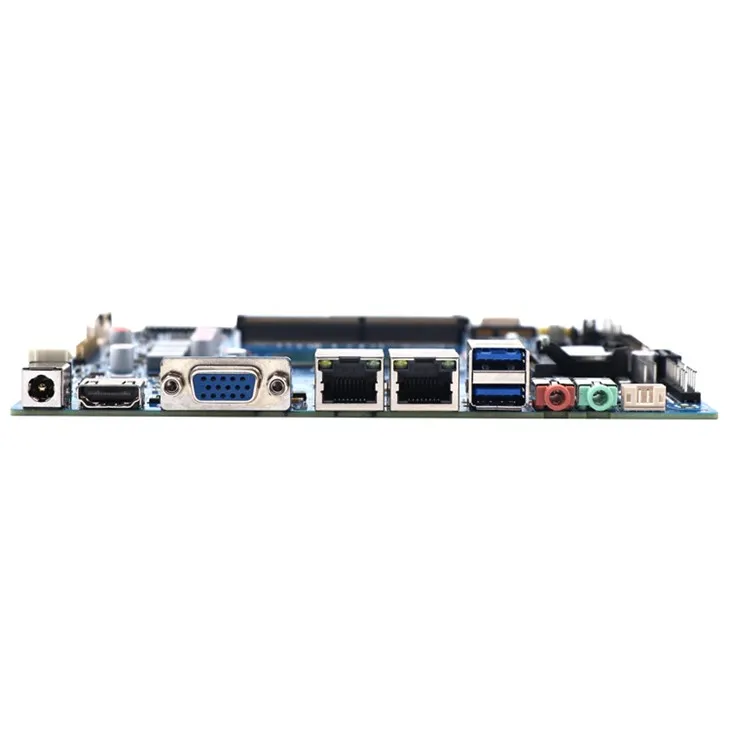

Despite their small size, mini-ITX cases come in a variety of designs and configurations, offering different levels of expandability and functionality. Some cases are designed specifically for low-power systems, while others can support high-performance components, including powerful GPUs and multiple storage drives.
Hard Drive Compatibility
The ability to install a large hard drive in a mini-ITX case depends on several factors, including the case's internal dimensions, the type of hard drive you want to install, and the available mounting options.
Internal Dimensions
One of the primary limitations of mini-ITX cases is their limited internal space. Unlike full-sized ATX cases, which can easily accommodate multiple 3.5-inch hard drives, mini-ITX cases often have limited room for storage devices. Some cases may only support 2.5-inch SSDs or HDDs, while others may have provisions for a single 3.5-inch hard drive.
Before purchasing a mini-ITX case, it's essential to check the manufacturer's specifications to determine the maximum size and number of hard drives it can support. Pay attention to the drive bays' dimensions, as well as any clearance requirements for cables and other components.
Hard Drive Type
There are two main types of hard drives commonly used in computers: 2.5-inch and 3.5-inch. 2.5-inch drives are smaller and lighter, making them ideal for portable devices and compact systems. They are also available in both HDD and SSD formats, offering a range of storage capacities and performance levels.
On the other hand, 3.5-inch drives are larger and heavier, but they typically offer higher storage capacities and better performance. They are commonly used in desktop computers and servers, where space is less of a concern.
When choosing a hard drive for your mini-ITX case, consider your storage needs and the available space. If you need a large amount of storage and your case supports it, a 3.5-inch HDD may be the best option. However, if you're looking for faster performance and have limited space, a 2.5-inch SSD may be a better choice.
Mounting Options
In addition to the internal dimensions and hard drive type, the available mounting options in the mini-ITX case also play a crucial role in determining whether you can install a large hard drive. Some cases may have dedicated drive bays with pre-drilled holes for mounting 2.5-inch or 3.5-inch drives, while others may require the use of adapter brackets or other mounting solutions.
If your case doesn't have a dedicated drive bay for the type of hard drive you want to install, you may need to get creative with your mounting options. There are various aftermarket drive brackets and mounting kits available that can help you install a 3.5-inch drive in a case designed for 2.5-inch drives, or vice versa.
Overcoming Space Limitations
If you're determined to install a large hard drive in a mini-ITX case but are faced with space limitations, there are several strategies you can employ to overcome these challenges.
Use a Slim or Low-Profile Hard Drive
One option is to use a slim or low-profile hard drive, which is designed to take up less space. These drives are typically thinner than standard 2.5-inch or 3.5-inch drives, making them a good choice for mini-ITX cases with limited clearance.
Slim 2.5-inch SSDs are available in various capacities and form factors, including M.2 and SATA. They offer fast performance and reliable storage, making them a popular choice for compact systems.
Consider External Storage
If you need a large amount of storage but your mini-ITX case doesn't have enough space for an internal hard drive, you can consider using external storage solutions. External hard drives and SSDs are available in a wide range of capacities and can be easily connected to your computer via USB or other interfaces.
External storage offers several advantages, including portability, easy installation, and the ability to expand your storage capacity as needed. However, it's important to note that external drives may have slower performance compared to internal drives, especially when it comes to data transfer speeds.
Optimize Cable Management
Another way to free up space in a mini-ITX case is to optimize cable management. Proper cable management not only helps to keep your case organized and tidy but also improves airflow and reduces the risk of overheating.
When installing a hard drive in a mini-ITX case, make sure to route the cables neatly and securely, using cable ties or other management tools. Avoid leaving excess cable slack inside the case, as this can take up valuable space and obstruct airflow.
Conclusion
In conclusion, the ability to install a large hard drive in a mini-ITX case depends on several factors, including the case's internal dimensions, the type of hard drive you want to install, and the available mounting options. While mini-ITX cases may have limited space compared to full-sized ATX cases, many models can still support at least one large hard drive, either 2.5-inch or 3.5-inch.
If you're in the market for a mini-ITX case and need to install a large hard drive, be sure to do your research and choose a case that meets your specific requirements. Consider the case's internal dimensions, the available mounting options, and any other features or specifications that are important to you.
As a [Your Role in the Supplier Company], I'm here to help you find the perfect mini-ITX solution for your needs. We offer a wide range of high-quality mini-ITX cases, motherboards, and other components, including Thin Mini Itx Board, Thin Mini Itx Motherboard, and J1900 1800 Mini Itx. If you have any questions or need assistance with your mini-ITX build, please don't hesitate to [Contact Method]. We're committed to providing our customers with the best products and services, and we look forward to helping you create the perfect compact computer.
References
- Manufacturer specifications of various mini-ITX cases
- Hard drive technical documentation
- Industry articles and forums on mini-ITX builds and storage solutions