

In the dynamic landscape of digital signage and interactive display solutions, Intel OPS PCs have emerged as a game - changer. As a dedicated supplier of Intel OPS PCs, I am excited to delve into the performance aspects of these remarkable devices.
1. Processing Power
At the heart of an Intel OPS PC lies its powerful processor. Intel is renowned for its high - performance CPUs, and the ones integrated into OPS PCs are no exception. The processors are designed to handle multiple tasks simultaneously with ease. For instance, in a digital signage application, the OPS PC needs to run media playback software, manage network connections, and potentially handle touch - screen interactions all at once.
The OPS I5 variant, powered by an Intel Core i5 processor, offers a balance between performance and energy efficiency. It has multiple cores and threads, which allow for efficient multitasking. This means that even when displaying high - definition videos, running analytics software in the background, and responding to user inputs, the system remains smooth and responsive.
The advanced architecture of Intel processors also enables them to support the latest technologies such as Hyper - Threading. Hyper - Threading allows each physical core to handle two threads simultaneously, effectively doubling the processing capacity in many scenarios. This is particularly useful in applications where there are a large number of small, independent tasks to be completed, such as in a complex digital signage network with multiple zones and different content streams.
2. Graphics Performance
Graphics are a crucial aspect of any digital signage or interactive display system. Intel OPS PCs come equipped with integrated or dedicated graphics solutions that deliver stunning visual experiences.
The integrated graphics in many Intel OPS PCs are more than capable of handling high - definition video playback. They support popular video codecs such as H.264 and HEVC, ensuring smooth and seamless video streaming. For applications that require more advanced graphics, such as 3D visualizations or high - end gaming - like experiences in interactive kiosks, there are also options with dedicated graphics cards.
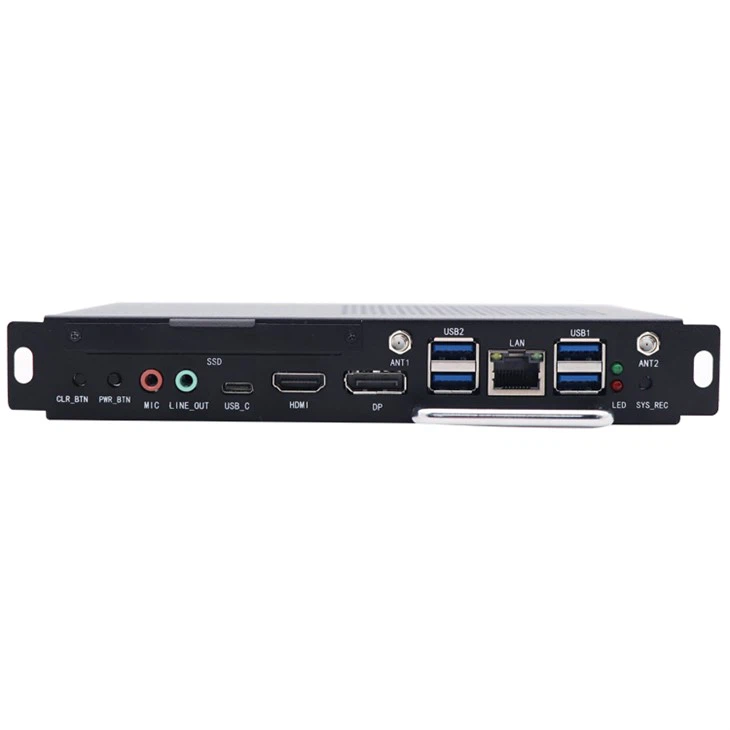
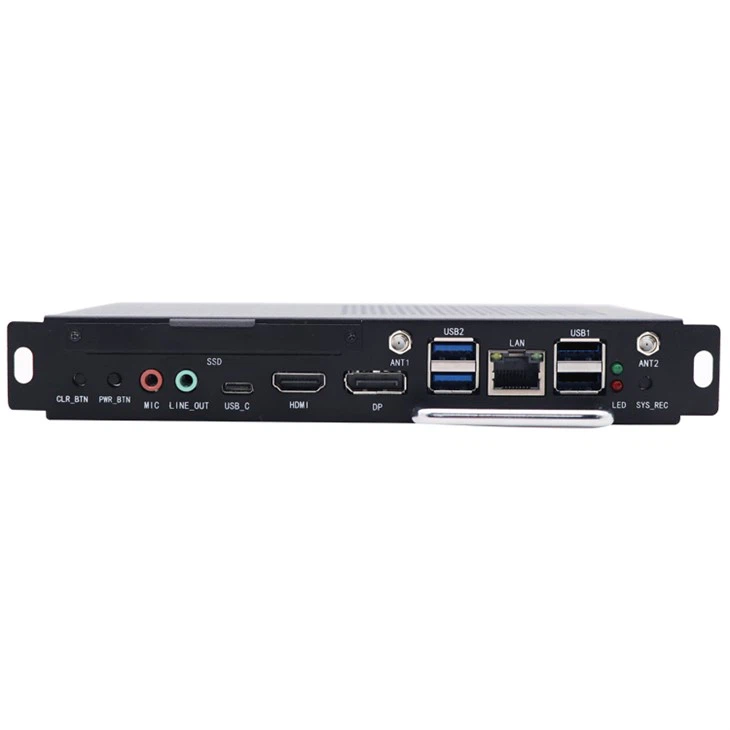
The 1744 - IOPS model offers enhanced graphics capabilities. It can drive multiple high - resolution displays simultaneously, making it ideal for large - scale digital signage installations in shopping malls, airports, or corporate lobbies. The high frame rates and sharp image quality provided by the graphics subsystem ensure that the content being displayed is engaging and visually appealing.
Moreover, Intel's graphics technology also supports features like DirectX and OpenGL, which are widely used in game development and other graphics - intensive applications. This means that developers can create rich, interactive content for Intel OPS - based systems without having to worry about compatibility issues.
3. Memory and Storage
Memory and storage are vital for the overall performance of an Intel OPS PC. Adequate memory allows the system to store and quickly access data, while sufficient storage ensures that there is enough space for applications, media files, and user data.
Most Intel OPS PCs come with a reasonable amount of RAM, typically starting from 4GB and going up to 16GB or more. The high - speed RAM enables the system to load applications quickly and run them smoothly. In a digital signage context, having enough RAM is essential for caching media files, which reduces buffering and ensures continuous playback.
When it comes to storage, there are options for both traditional hard disk drives (HDDs) and solid - state drives (SSDs). HDDs offer large storage capacities at a relatively low cost, making them suitable for applications where large amounts of media content need to be stored, such as in a museum's digital exhibit system. On the other hand, SSDs provide much faster data access speeds. They can significantly reduce the boot time of the system and the loading time of applications. The OPS Windows 10 (1744MXM) model often comes with an SSD option, which enhances the overall responsiveness of the system.
The combination of fast memory and efficient storage solutions ensures that the Intel OPS PC can handle the demands of various applications, whether it's a simple digital menu board or a complex interactive education system.
4. Connectivity
Connectivity is another area where Intel OPS PCs shine. They offer a wide range of connectivity options, which makes them highly versatile and easy to integrate into different environments.
Ethernet ports are standard on most Intel OPS PCs, providing a reliable and high - speed network connection. This is essential for downloading updates, streaming media content, and communicating with other devices in a networked environment. In addition to Ethernet, many models also support Wi - Fi, allowing for wireless connectivity. This is particularly useful in installations where running cables is not practical, such as in a pop - up store or a temporary event.
USB ports are abundant on Intel OPS PCs, enabling the connection of various peripheral devices. These can include touch - screen monitors, keyboards, mice, external storage devices, and more. The USB 3.0 and USB 3.1 standards provide high - speed data transfer rates, which is beneficial when transferring large media files or interacting with high - performance peripherals.
HDMI and DisplayPort outputs are available for connecting to displays. The support for multiple display outputs allows for the creation of multi - screen setups, which are common in digital signage and control room applications.
5. Operating System Compatibility
Intel OPS PCs are highly compatible with a variety of operating systems, with Windows 10 being one of the most popular choices. The OPS Windows 10 (1744MXM) model is specifically optimized for the Windows 10 operating system. Windows 10 offers a user - friendly interface, robust security features, and excellent compatibility with a wide range of software applications.
In addition to Windows, there are also options for running Linux - based operating systems. Linux is known for its stability, security, and open - source nature. It is often used in industrial applications or by developers who prefer a more customizable operating environment. The compatibility of Intel OPS PCs with different operating systems gives users the flexibility to choose the one that best suits their needs.
6. Thermal Management
Efficient thermal management is crucial for maintaining the performance of an Intel OPS PC over time. These devices are often installed in enclosed spaces such as digital signage enclosures or kiosks, where heat dissipation can be a challenge.
Intel OPS PCs are designed with advanced thermal management systems. They feature heat sinks, fans, and other cooling mechanisms that help to keep the components at an optimal temperature. The intelligent fan control systems adjust the fan speed based on the temperature of the components, ensuring that the system remains cool even under heavy workloads.
Proper thermal management not only prevents overheating, which can cause system instability and damage to components, but also helps to extend the lifespan of the device. This is particularly important in long - term digital signage installations where the system needs to operate continuously for extended periods.
7. System Reliability and Stability
Reliability and stability are of utmost importance in any commercial or industrial application. Intel OPS PCs are built to be reliable and stable, with high - quality components and rigorous testing procedures.
The use of Intel - branded components ensures a high level of quality and compatibility. The systems are also tested for various environmental conditions, including temperature, humidity, and vibration. This makes them suitable for a wide range of installation locations, from indoor climate - controlled environments to outdoor settings.
In addition, Intel OPS PCs often come with features such as remote management capabilities. This allows system administrators to monitor and manage the devices remotely, perform software updates, and troubleshoot issues without having to be physically present at the installation site.
Conclusion
In conclusion, the performance of Intel OPS PCs is truly impressive. From their powerful processors and graphics capabilities to their extensive connectivity options and reliable operation, these devices are well - suited for a wide range of digital signage and interactive display applications.
Whether you are looking to set up a small - scale digital menu board or a large - scale corporate digital signage network, an Intel OPS PC can provide the performance and functionality you need. As a supplier of Intel OPS PCs, I am confident in the quality and performance of these products.
If you are interested in learning more about our Intel OPS PC offerings or would like to discuss a potential purchase, please feel free to reach out to us. We are here to help you find the best solution for your specific requirements.
References
- Intel Corporation. (2023). Intel Core Processor Family Specifications. Retrieved from Intel official website.
- Digital Signage Today. (2023). Best Practices for High - Performance Digital Signage Systems.
- TechRadar. (2023). Review of Intel Graphics Technologies for Commercial Applications.