

As a supplier of Intel Box PCs, I've had my fair share of experiences with folks asking me if these machines are easy to maintain. Well, let me break it down for you.
First off, what exactly is an Intel Box PC? These are compact, all - in - one computing solutions that pack a punch. They come in different shapes and sizes, like the Portable PC Box, Nuc Box PC, and Mini Desktop Box. Each of them is designed to fit various needs, whether you're looking for a portable device for on - the - go work or a small desktop setup for your office.
Now, let's talk about maintenance. One of the biggest advantages of Intel Box PCs is their simplicity. Intel has always been known for its high - quality components, and these box PCs are no exception. The hardware is built to last, and most of the time, you won't run into major issues.
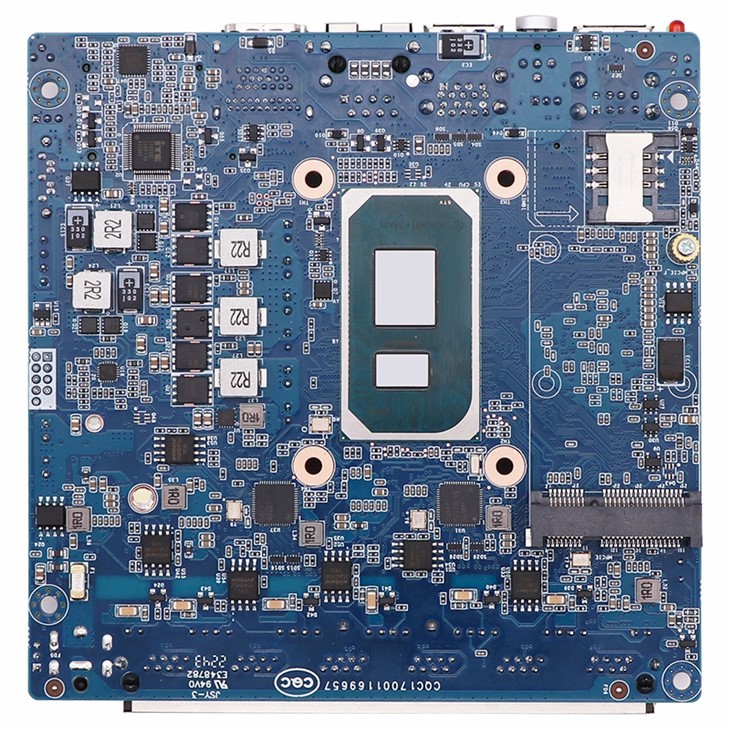
Take the internal components for example. Intel's processors are extremely reliable. They're engineered to handle a lot of stress without overheating or breaking down easily. And because the box PCs are so compact, there's not a whole lot of room for a bunch of complex, fragile parts. This means fewer things can go wrong in the first place.
Software - wise, Intel Box PCs usually come with pre - installed operating systems that are pretty user - friendly. Windows is a common choice, and it's got a ton of built - in tools for maintenance. You can easily run disk checks, defragment your hard drive (if it's a traditional hard drive and not an SSD), and update your software. Microsoft also releases regular security patches and updates, which are super important for keeping your system secure and running smoothly.
Another great thing is the accessibility of parts. Unlike some big, clunky desktops where you need a degree in computer engineering to open them up, Intel Box PCs are designed with easy access in mind. You can usually pop open the case with a few simple screws, and then it's easy to replace things like the RAM, hard drive, or even the Wi - Fi card if you need to.
Let's say your hard drive starts acting up. You don't have to be a tech genius to swap it out. Just make sure you've backed up your data, remove the old drive, and install the new one. Then, you can reinstall your operating system and get back up and running in no time.
But it's not all sunshine and rainbows. There are a few things you need to keep in mind when it comes to maintaining Intel Box PCs.
One of the main challenges can be dust. Because these box PCs are small, they can heat up a bit more easily. And dust can cause the fans to work harder, leading to overheating. To prevent this, you should regularly clean the vents and fans. You don't need any fancy tools for this. A can of compressed air works just fine. Just hold the can upright and give the vents a quick blast every few months.
Another thing is keeping your antivirus software up - to - date. Since these PCs are often used for work or internet browsing, they're at risk of getting infected by malware. Make sure you've got a good antivirus program installed, and set it to update automatically.
Also, be careful when it comes to software updates. Sometimes, an update can cause compatibility issues with other programs on your PC. Before you install a major update, it's a good idea to do a system restore point. That way, if something goes wrong, you can easily revert back to the previous state.
In terms of long - term maintenance, Intel Box PCs are a great investment. They're built to be durable, and with a little bit of care, they can last for years. You won't have to constantly worry about replacing parts or dealing with major breakdowns.
If you're in the market for a reliable, easy - to - maintain computer, an Intel Box PC is definitely worth considering. Whether you're a small business owner looking for a compact office solution or an individual who needs a portable computer for school or work, these box PCs have a lot to offer.
So, if you're interested in purchasing Intel Box PCs, or if you've got any questions about maintenance or other aspects of these devices, don't hesitate to reach out. We're here to help you make the right decision and ensure that your computing experience is as smooth as possible.

In conclusion, Intel Box PCs are generally pretty easy to maintain. With their high - quality hardware, user - friendly software, and accessible components, they're a great choice for anyone who wants a reliable computer without the headache of complex maintenance. So, why wait? Contact us today to start exploring the world of Intel Box PCs.
References
Intel official documentation
General computer maintenance guides