

As a supplier of OPS Windows 10 products, I often encounter customers who are troubled by the blue screen errors on their OPS Windows 10 devices. The blue screen of death (BSOD), also known as a system crash, can be a nightmare for users. However, understanding the error codes can provide valuable insights into the root causes of these issues. In this blog post, I will explain what some of the common blue screen error codes in OPS Windows 10 mean.
0x0000000A: IRQL_NOT_LESS_OR_EQUAL
This error code indicates that the system has attempted to access invalid memory at an interrupt request level (IRQL) that is too high. In simpler terms, a device driver or hardware component is trying to access memory that it shouldn't, or it's doing so at an inappropriate time. This can be caused by outdated or corrupted device drivers, faulty hardware such as RAM or hard drives, or incompatible software.
To troubleshoot this issue, you can start by updating all your device drivers to the latest versions. You can do this through the Device Manager in Windows 10. If the problem persists, you may need to run a memory diagnostic tool to check for faulty RAM, or perform a disk check on your hard drive. For more information about our OPS Windows 10 products and how we can assist with driver updates, feel free to reach out to us.
0x0000001E: KMODE_EXCEPTION_NOT_HANDLED
The KMODE_EXCEPTION_NOT_HANDLED error code means that the kernel mode has encountered an exception that it was unable to handle. This can be due to a wide range of issues, including hardware problems, software bugs, or conflicts between different drivers or programs.
One of the first steps in troubleshooting this error is to identify any recently installed software or hardware. Try uninstalling the most recently added programs or removing the newly installed hardware to see if the problem goes away. You can also use the System File Checker (SFC) tool to scan and repair any corrupted system files. If the issue persists, it may be a sign of a more serious hardware problem, such as a failing CPU or motherboard. Our team of experts can help you diagnose and resolve these complex issues with our Intel OPS Pc products.
0x0000007B: INACCESSIBLE_BOOT_DEVICE
This error code indicates that the operating system is unable to access the boot device, which is usually the hard drive. It can be caused by a variety of factors, such as a loose or damaged hard drive cable, a corrupted boot sector, or a failing hard drive.
To fix this issue, you can first check the physical connections of your hard drive to ensure that the cables are properly plugged in. If the connections are fine, you may need to use a Windows 10 installation media to repair the boot sector. You can also run a hard drive diagnostic tool to check for any errors on the drive. Our OPS I5 products are designed with high - quality components to minimize the risk of such boot - related issues, but if you do encounter problems, we're here to help.
0x0000008E: KERNEL_MODE_EXCEPTION_NOT_HANDLED
Similar to the 0x0000001E error, the KERNEL_MODE_EXCEPTION_NOT_HANDLED error code indicates that the kernel has encountered an unhandled exception. This can be caused by issues such as faulty hardware, incompatible drivers, or corrupted system files.
You can start the troubleshooting process by running a virus scan to check for any malware that may be causing the problem. Then, update your device drivers and perform a system restore to a previous point when the system was working properly. If the issue persists, it may be necessary to perform a clean installation of Windows 10. Our support team can guide you through the entire process to ensure a smooth and successful recovery for your OPS Windows 10 device.
0x000000ED: UNMOUNTABLE_BOOT_VOLUME
The UNMOUNTABLE_BOOT_VOLUME error code means that the operating system is unable to mount the boot volume, which is typically the partition where Windows 10 is installed. This can be due to a corrupted file system, a damaged hard drive, or incorrect BIOS settings.
To address this issue, you can use the Windows 10 installation media to access the Command Prompt and run commands such as CHKDSK to check and repair the file system. You may also need to enter the BIOS settings and ensure that the boot order is correctly configured. If these steps do not resolve the problem, it could be a sign of a more serious hardware issue, and our technicians can provide in - depth diagnosis and repair services for your OPS Windows 10 device.
How We Can Help
As a trusted supplier of OPS Windows 10 products, we understand the frustration that comes with blue screen errors. Our team of experienced technicians is well - versed in diagnosing and resolving these issues. We offer a comprehensive range of support services, including driver updates, hardware replacement, and system recovery.
If you are experiencing blue screen errors on your OPS Windows 10 device, don't hesitate to contact us. We can provide you with personalized solutions based on your specific situation. Whether you need a quick fix or a long - term maintenance plan, we are here to ensure that your OPS Windows 10 device runs smoothly and efficiently.

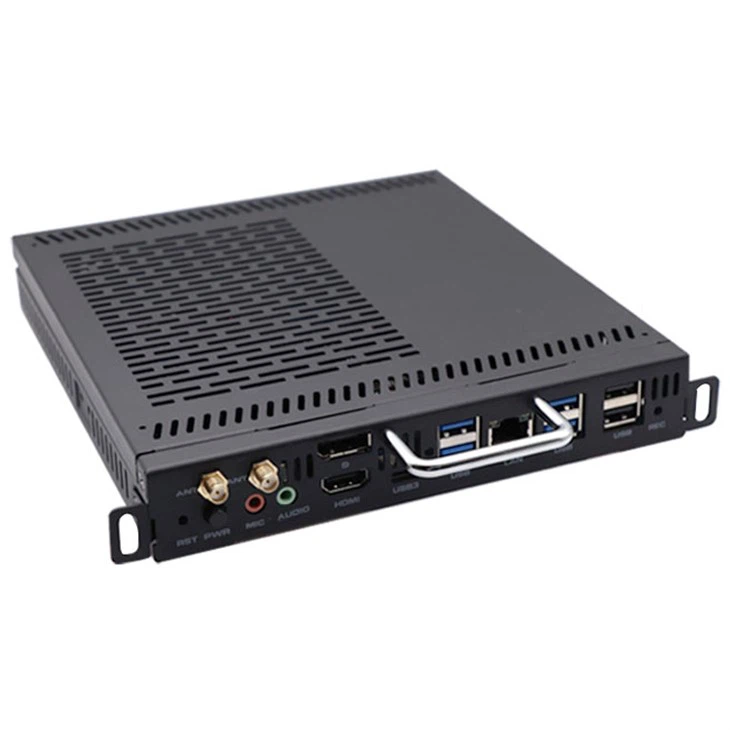
We also offer high - quality OPS Windows 10, Intel OPS Pc, and OPS I5 products that are designed to minimize the risk of system crashes. Our products undergo rigorous testing to ensure reliability and performance. If you are interested in purchasing our products or learning more about our support services, please reach out to us for a consultation. We look forward to working with you to meet your computing needs.
References
- Microsoft Support Documentation
- Windows 10 Troubleshooting Guides