
Hey there! As a thin ITX supplier, I've had a fair share of customers asking about external storage support in thin ITX systems. So, I thought I'd sit down and write this blog to shed some light on this topic.
Let's start with the basics. Thin ITX systems are known for their compact size and energy - efficiency. They're great for a variety of applications, from home media centers to office workstations. But when it comes to storage, their internal space is often limited. That's where external storage comes in handy.
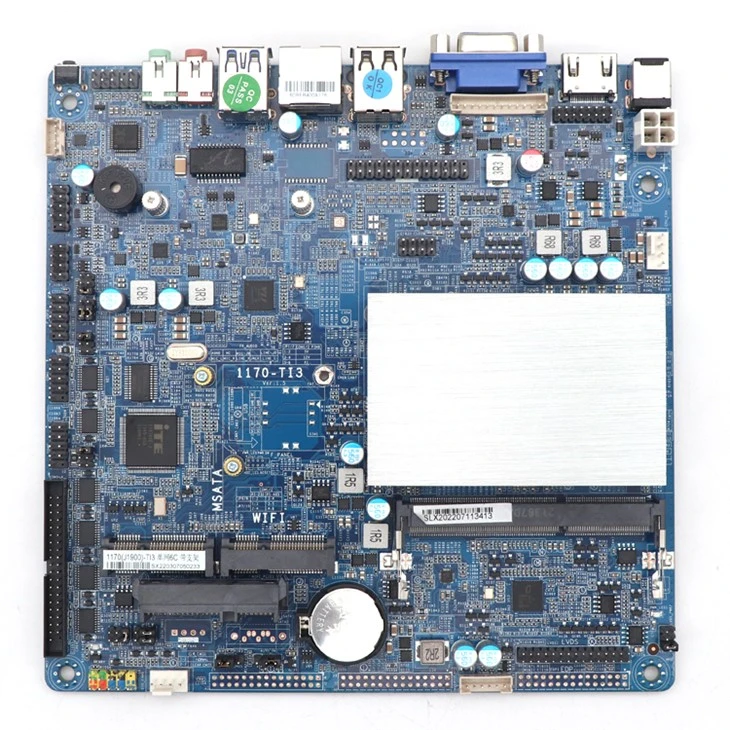
One of the most common ways to add external storage to a thin ITX system is through USB ports. Most thin ITX motherboards, like the ones you can find on our Mainboard Thin Itx page, come with multiple USB ports. These ports support a wide range of external storage devices, such as USB flash drives and external hard drives.
USB flash drives are super convenient. They're small, portable, and easy to use. You can just plug them into your thin ITX system, and you're good to go. They're perfect for transferring small files, like documents and photos, between different devices. And with the latest USB 3.0 and 3.1 standards, the data transfer speeds are pretty fast.
External hard drives, on the other hand, offer much more storage capacity. You can get external hard drives with capacities ranging from a few hundred gigabytes to several terabytes. They're great for storing large files, like high - definition videos and large software applications. Some external hard drives also come with additional features, such as password protection and automatic backup.
Another option for external storage is eSATA. eSATA stands for external Serial ATA. It's a high - speed interface that provides faster data transfer rates compared to USB. However, not all thin ITX systems support eSATA. If you're looking for a thin ITX system with eSATA support, you might want to check out our J1900 Thin Itx models. These systems are equipped with eSATA ports, allowing you to connect external hard drives for faster data access.
Network - attached storage (NAS) is also a popular choice for thin ITX systems. A NAS device is essentially a dedicated storage device that connects to your network. You can access the data on the NAS from any device on the same network, including your thin ITX system. This is great for sharing files among multiple users or devices. It also provides a centralized storage solution, which can be easily managed and backed up.
When it comes to NAS, you can either buy a pre - built NAS device or build your own using a NAS enclosure and hard drives. There are many different NAS operating systems available, such as Synology DiskStation Manager and QNAP QTS. These operating systems offer a user - friendly interface and a variety of features, like file sharing, media streaming, and remote access.

Thin ITX systems also support external solid - state drives (SSDs). SSDs are much faster than traditional hard drives, offering significantly reduced boot times and faster data access. They're also more reliable and durable, as they have no moving parts. You can connect an external SSD to your thin ITX system via USB or eSATA, just like you would with an external hard drive.
Our 11th 12th Thin Itx systems are designed to take full advantage of external SSDs. With their powerful processors and high - speed interfaces, these systems can handle the fast data transfer rates of SSDs, providing a smooth and responsive user experience.
Now, let's talk about some of the factors you should consider when choosing external storage for your thin ITX system. First of all, you need to think about the storage capacity you need. If you only need to store a few small files, a USB flash drive might be sufficient. But if you have a large collection of media files or need to store business - critical data, you'll probably want to go for an external hard drive or a NAS device.
Data transfer speed is another important factor. If you're dealing with large files, such as high - definition videos or large databases, you'll want a storage device with a fast data transfer rate. USB 3.0 and 3.1, eSATA, and SSDs all offer fast data transfer speeds.
Reliability is also crucial. You don't want to lose your important data due to a faulty storage device. Look for storage devices from reputable manufacturers and read reviews from other users to get an idea of their reliability.
In addition, you should consider the portability of the storage device. If you need to take your data with you on the go, a USB flash drive or a portable external hard drive might be the best option. But if you're using the storage device primarily in a fixed location, a NAS device or a desktop external hard drive could be more suitable.
As a thin ITX supplier, we understand the importance of external storage for our customers. That's why we offer a wide range of thin ITX systems that support various external storage options. Whether you're a home user looking for a simple way to store your media files or a business user in need of a reliable and high - performance storage solution, we've got you covered.
If you're interested in learning more about our thin ITX systems and their external storage support, or if you're ready to make a purchase, don't hesitate to get in touch with us. We're here to help you find the perfect thin ITX system and external storage solution for your needs.
References:
- General knowledge about thin ITX systems and external storage from industry experience.
- Product specifications from our thin ITX product lines.